Occultera 0.14 is out — cluster pulse and Prometheus alerts explained by AI. What’s new →
GDPR / KVKK: personal data is masked before the AI and MCP clients

Open source · AGPL-3.0 · Wazuh 4.x

Find the signal
in the dark.

An on-call companion for Wazuh. It watches your alerts around the clock, tells you within minutes when something is truly urgent, and lets an AI explain the rest. Nothing changes in Wazuh without your approval.

  • Urgent alerts without an AI call
  • Personal data masked for the AI and every MCP client
  • One container, no extra database
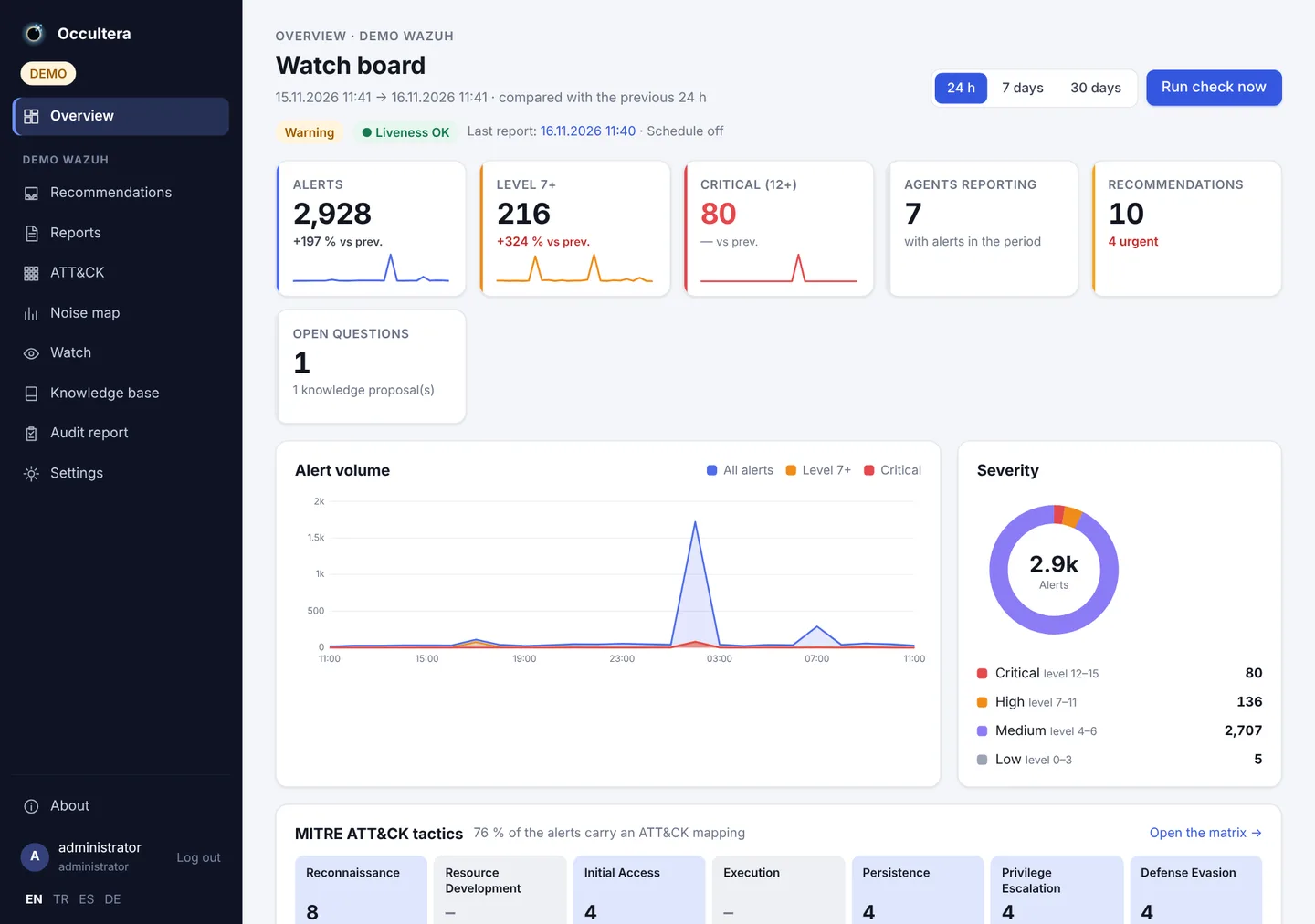
occultera · watch board
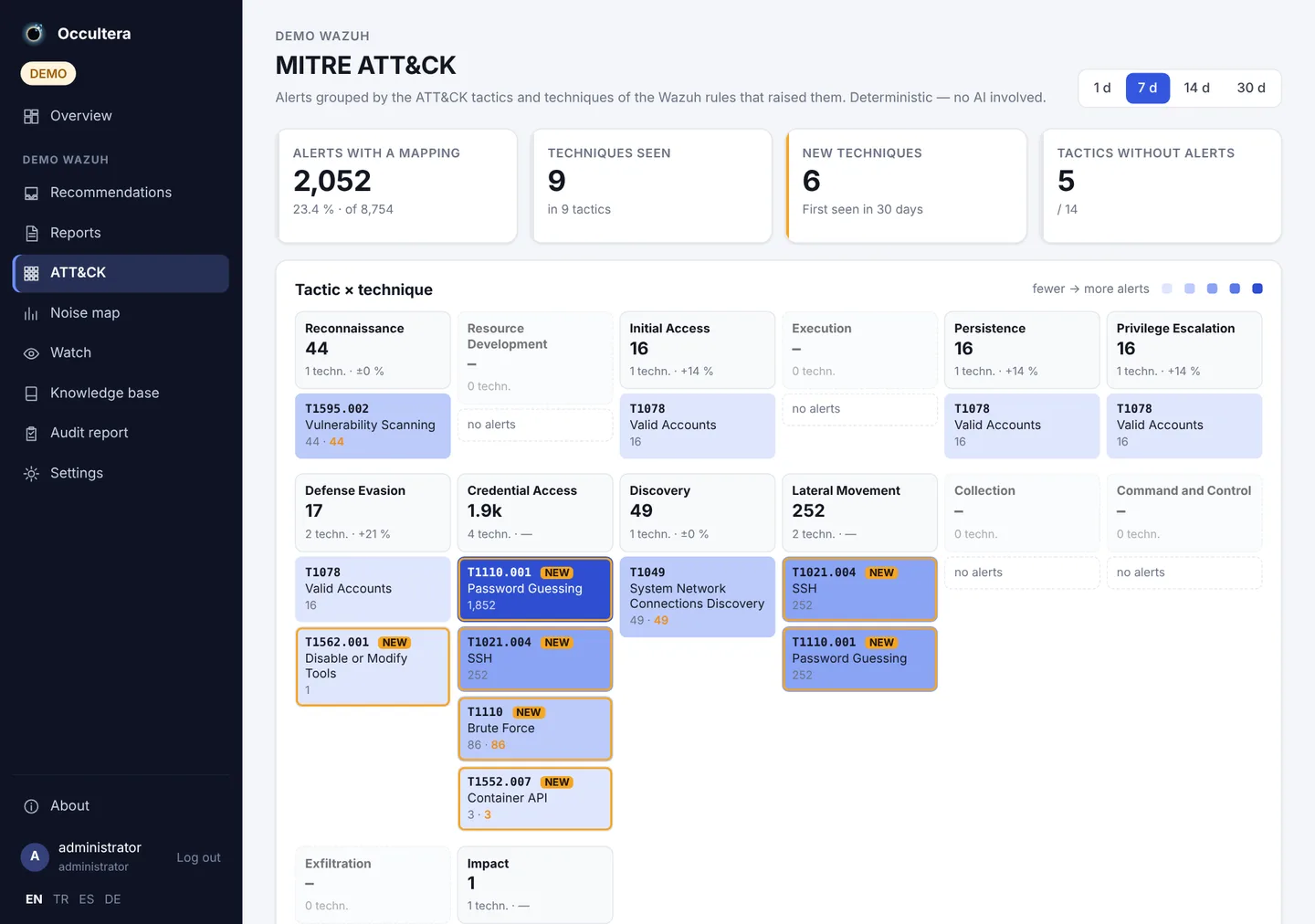
Occultera watch board: alert counts, alert volume chart, severity breakdown and MITRE ATT&CK tactics

Works with

  • Wazuh 4.x
  • Docker
  • Kubernetes · Helm
  • OpenShift
  • Prometheus · Thanos
  • Loki
  • Claude
  • OpenAI
  • Gemini
  • DeepSeek
  • Ollama
  • Keycloak
  • Authentik

GDPR · KVKK

Personal data never reaches the AI — or your MCP clients

E-mail addresses, phone numbers, national ID numbers, IBANs and card numbers are replaced by pseudonyms inside your installation, before anything is sent to the model or returned to an MCP agent. Passwords, tokens and keys are removed for good. On by default.

  1. 1Your WazuhAlerts and logs, with real values.ayse.kaya@example.com
  2. 2Occultera masksInside your installation. The mapping stays in memory, per environment.HMAC · per environment
  3. 3AI provider and MCP clientsClaude, OpenAI, Gemini, DeepSeek, Claude Desktop, Cursor … see pseudonyms only.<email:3f9a…>

↺ When the model asks about a pseudonym, the real value is used inside the app to query Wazuh. Reports are mapped back, so your reviewers see real values — the model never does.

In your logsuser=ayse.kaya@example.com id=10000000146 password=S3cr3t! failed login from 203.0.113.7
What the model seesuser=<email:3f9a…> id=<national_id_tr:b71c…> password=<password> failed login from 203.0.113.7
  • On by defaultEvery new installation masks. Turning it off takes an explicit setting.
  • MCP clients tooClaude Desktop, Claude Code, Cursor or any MCP agent gets the same pseudonyms as the AI round. An external assistant is an LLM too.
  • Secrets gone for goodPasswords, tokens, JWTs, AWS keys and private keys are removed, not pseudonymised — they cannot be unmasked.
  • The analysis still worksThe same value always gets the same pseudonym, so the model still sees that one account failed 40 logins from three countries — without knowing who it is.
  • Leaks in your logsPersonal data stored in clear text in Wazuh is detected and turned into a recommendation.
  • Your own rulesA standard profile on every installation, plus your own detectors and allow-lists. Every run records the profile version.
Detected and validated
  • E-mail
  • Phone
  • Turkish ID (TCKN, check digits)
  • Belgian national number
  • French NIR
  • IBAN (mod 97)
  • Card (Luhn)
  • IP addresses — optional
  • Passwords · tokens · JWT · keys — removed

Honest limit: this is pseudonymisation, not DLP. Names written in free text are not detected. For regulated data, use a provider under a data-processing agreement — or a local model with Ollama or vLLM.

Privacy in detail →

How it works

Two loops. One quiet night.

Urgent things should not wait for a report, and a report should not be written in a panic. Occultera keeps the two apart.

The watch

every few minutes

Local rules decide — no model is called. A critical alert, a successful login after failed attempts, Active Response, a sudden spike, agents that stop reporting, an unusual outbound transfer from a workload or a new alert from your cluster's own Prometheus reach a person within minutes. Quiet hours hold everything except critical events.

  • Teams
  • Telegram
  • Slack
  • E-mail
  • Quiet hours

The AI round

once or twice a day

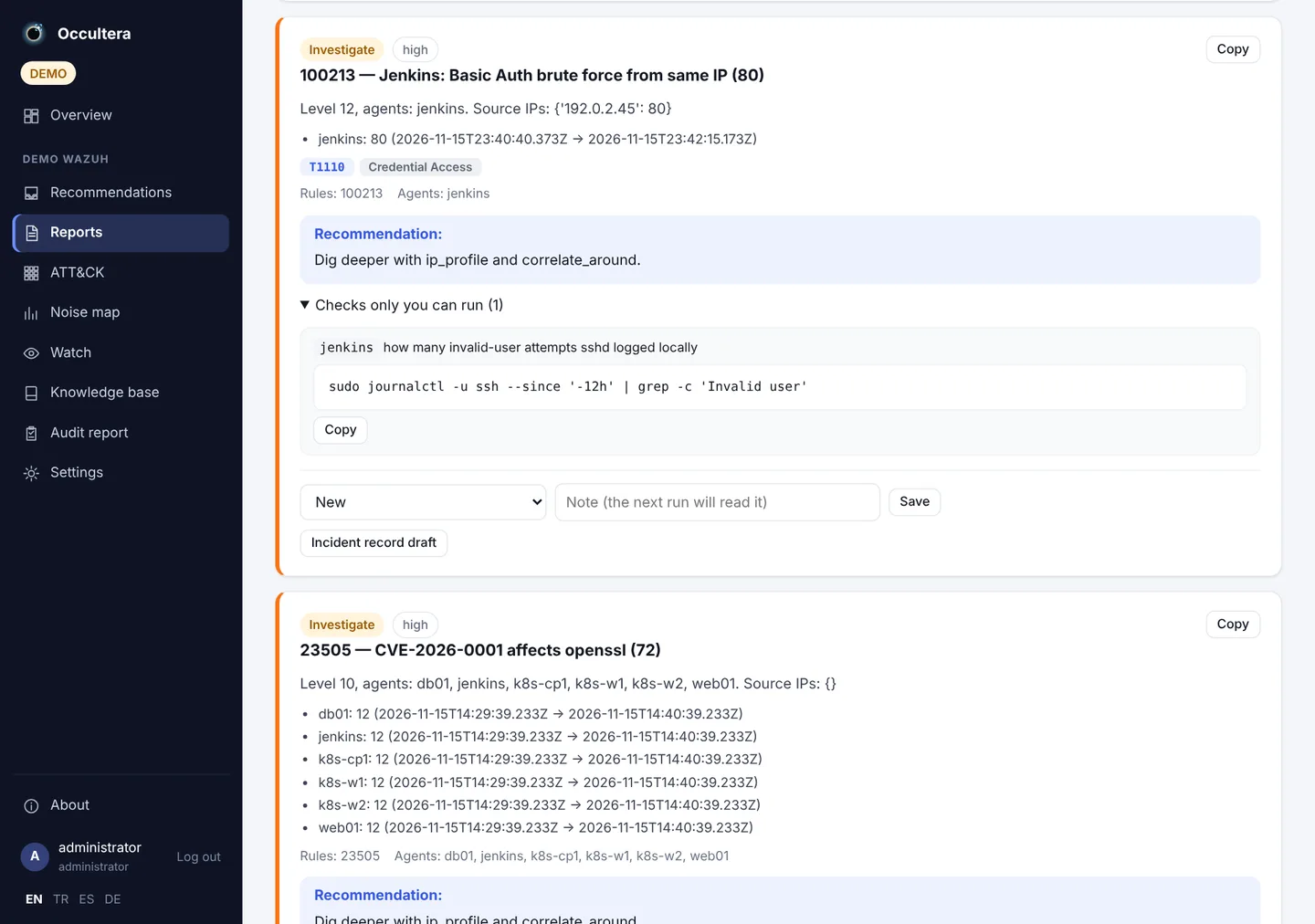
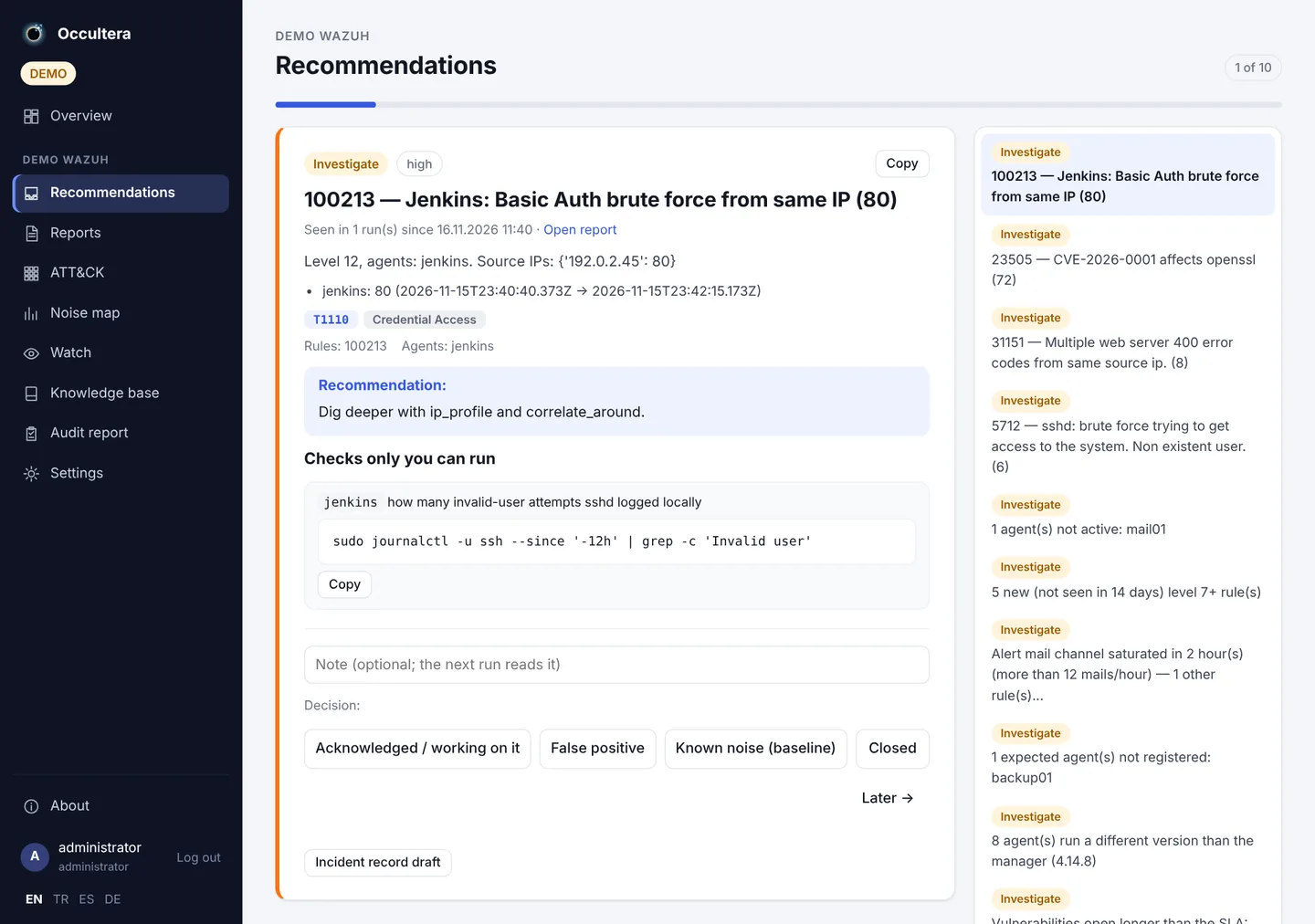
The model you choose reviews everything the watch saw, using read-only tools, and writes one report: findings with evidence, open questions, a verdict on every watch event, rule drafts and tuning suggestions.

  • Any LLM provider
  • Read-only tools
  • Rule drafts
  • Your approval

Features

Everything the morning check needs

The morning check, in one report

Is data flowing, are agents connected, what is at a high level and which of it is the usual noise. One report instead of an hour of dashboard queries.

Noise reduction you can trust

Rule drafts are replayed against two weeks of real alerts, checked with logtest, deployed with automatic rollback and then verified against live events.

Dashboard and MITRE ATT&CK

Trend charts, severity bands, top rules, agents and sources, a tactic strip and technique matrix, and tactics with no alerts — all without AI.

A knowledge base that learns

Known noise, decisions and open items are given to the model on every round, and the knowledge base learns from what you approve or reject.

Your data stays with you

It writes only to its own indices in your Wazuh Indexer. No other database to run. Encrypted backups to download or to S3.

Ready for a team

A read-only viewer role, SSO behind Keycloak or Authentik via proxy groups, and a monthly audit report for the review meeting.

Cluster pulse

From your Prometheus: what leaves each cluster, 401/403 and 5xx at the ingress, secret reads, DNS, CPU outliers, restarts, certificates and the places where monitoring is blind. Kubernetes and OpenShift, several clusters per Wazuh.

Possible data leak, flagged

A workload that suddenly sends far more than its own week is announced within minutes. Volume, never content — nightly backups and sync jobs that did the same last week stay quiet.

Cluster alerts, explained

The alerts your cluster's Prometheus fires, grouped. One click and the AI explains what is happening, the likely cause, the priority and the next checks — security first, noise named as noise.

What happened on webserver last night?
search_alerts(agent="webserver", since="-12h")correlate_around(…)ip_profile("203.0.113.7")→ user=<email:3f9a…> masked
Between 02:10 and 02:40 there were 412 failed SSH logins from 203.0.113.7, then none. No successful login followed, and the IP is not seen on other agents. Known noise? No — I'd suggest a frequency rule; a draft is ready for your review.

Model Context Protocol

Ask your Wazuh in plain language

The built-in MCP server gives any agent that speaks the Model Context Protocol the same read-only tools the AI uses: alert search, timelines, IP profiles, agents, rule info, logtest, reports and the knowledge base — with the same query limits, the same masking and a per-client rate limit.

  • Claude Desktop
  • Claude Code
  • Cursor
  • VS Code
  • any MCP client

Masked here too. MCP results go through the same masking as the AI round: your agent sees pseudonyms, and secrets never leave your installation.

Connect an agent →

What it is — and what it is not

It is

  • A daily review and on-call aid that reads what Wazuh produced
  • Read-only towards Wazuh by default
  • An assistant that proposes; a person decides
  • One container that keeps its data in your own Wazuh Indexer
  • Supporting evidence for monitoring reviews

It is not

  • A replacement for Wazuh or its dashboard
  • A SOAR: it does not block, isolate or run commands on agents
  • An autonomous responder
  • A hosted service, or another database to run
  • A certificate of ISO 27001 or any other conformity

Get started

Running in five minutes

The demo needs no Wazuh and no model: synthetic data, a mock model, a finished report and waiting suggestions.

git clone https://github.com/occultera/occultera.git && cd occultera
cp .env.demo .env
docker compose up -d --build
# open http://127.0.0.1:8080  —  password: demo-password-change-me

Name and logo

Why “Occultera”?

Astronomers who want to see something faint next to something very bright put a disk in front of the bright source. That disk is called an occulter. With the glare blocked, what was hidden beside it becomes visible: the Sun’s corona, or a dim planet next to its star. Coronagraphs on the ground and in space work this way.

A SIEM has the same problem. Thousands of alerts a day are bright and mostly expected; the one that matters is faint and sits right next to them. Occultera blocks the known noise — baselines, accepted findings, rules you already understand — so that what is left is worth a human look.

Occultera logo: a dark disk with a gold and blue corona, a bright flash at the rim inside blue brackets, and a radar arc

What the logo shows

  1. 1
    The dark diskThe occulter: the known noise, blocked on purpose.
  2. 2
    The gold and blue coronaEverything that is still there, seen in context.
  3. 3
    One bright flash at the rimThe signal that gets through.
  4. 4
    Blue brackets around the flashThe watch has locked on to it.
  5. 5
    The radar arc with ticksIt is tracked until a human decides.

Slogan Find the signal in the dark.

Name and logo in the wiki →